Computing
Machines with Buttons
Machines with buttons
Phone, TV, radio and fan — what a button does, on and off, and how to be gentle with the machines at home.
Machines
Some things at home are machines.
A phone. A TV. A radio. A fan.
Machines help us. Machines need us to be gentle.
2 / 34
A button
A button is a little thing you press.
Press. Click!
Something happens. The machine wakes up!
3 / 34
On
Press the button. The light comes on.
On means it is working.
Say it: on!
4 / 34
Off
Press the button again. The light goes off.
Off means it is resting.
Say it: off!
5 / 34
On and off
On, off. On, off.
Mama presses the switch. Light on!
Mama presses again. Light off!
Can you say "on" and "off"?

6 / 34
The buttons song
Buttons, buttons, big and small.
Press one, press them all!
Sing along.
7 / 34
The phone
This is a phone.
Mama talks on the phone. "Hello, Grandma!"
The phone has buttons and a screen.

8 / 34
Ring ring
The phone goes ring ring!
Daddy presses the button. "Hello?"
Can you say "ring ring"? Can you say "hello"?
9 / 34
The phone is not a toy
A phone is Mama's. A phone is Daddy's.
We do not throw it. We do not drop it.
Ask first. Then be gentle.
10 / 34
The TV
This is a TV.
Press the button. The TV comes on.
Pictures! Songs! Cartoons!

11 / 34
The remote
The remote has lots of buttons.
One button: on. One button: off.
One button: loud. One button: quiet.

12 / 34
TV off
TV time is over.
Daddy presses the button. TV off.
Now we go and play outside!
13 / 34
The radio
This is a radio.
Turn the knob. Music comes out!
Grandpa listens to the radio every morning.

14 / 34
Loud and quiet
Turn the knob this way. Loud!
Turn the knob that way. Quiet.
Grandma says, "Too loud! Turn it down."
15 / 34
Dance to the radio
The radio plays a song.
Kofi dances. Ama claps.
When the song stops, we stop too!
16 / 34
The fan
This is a fan.
Press the button. Whirr, whirr!
The fan blows cool air. Aaah, nice.

17 / 34
Fan safety
The fan goes round and round. Fast!
Never put your fingers in the fan.
Look with your eyes. Not with your hands.
18 / 34
Fan in the classroom
It is hot in the classroom.
Teacher presses the button. The fan goes on.
Whirr, whirr. Everyone feels cool.

19 / 34
The torch
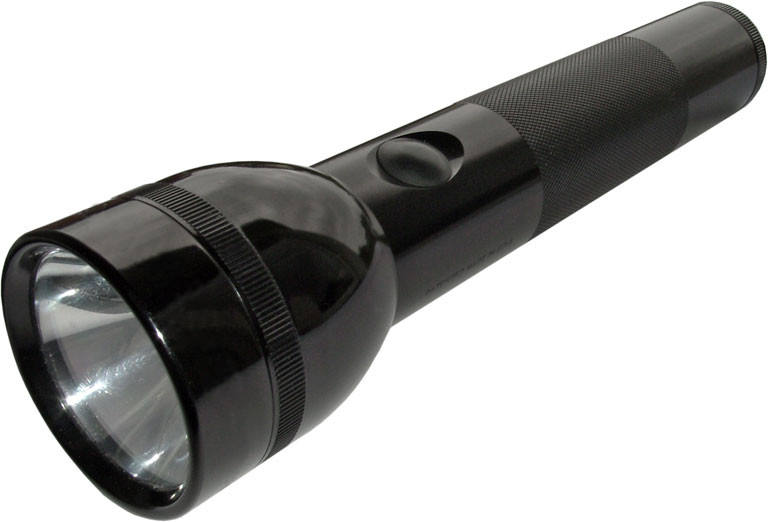
This is a torch.
Press the button. Light!
Press again. Dark.
Lights go off at night? Use the torch!
20 / 34
Light off, light on
"Lights off!" says Ama. Dark.
"Lights on!" says Kofi. Bright.
Press the switch. Off. On. Off. On!
21 / 34
Be gentle
Press a button softly. Click.
Do not bang. Do not hit.
Machines like gentle hands.
22 / 34
Ask first
Before you touch a machine, ask.
"Mama, may I press the button?"
Mama says yes. Now press, gently.
23 / 34
Wet hands, no!
Water and machines do not mix.
Dry your hands first.
Then you can touch the radio.
24 / 34
Plugs are not for playing
The wire goes into the plug in the wall.
Plugs are for grown-ups only.
We do not touch them. We do not pull them.
25 / 34
Save the power
When you leave the room, turn the light off.
When the TV is finished, turn it off.
Off, off, off. Well done!
26 / 34
Let's turn off the lights
Sing it: turn off the lights!
Click. Dark. Good night, light.
27 / 34
Not too long
A little TV is fun.
A lot of TV is too much.
When Mama says "off", we say okay. Then we play!
28 / 34
Machines at the market
At the market, a machine weighs the tomatoes.
A machine plays music at the shop.
Beep! Mama pays GH₵10 with her phone.
29 / 34
What machine is this?
It rings. Hello! What is it? A phone.
It blows cool air. What is it? A fan.
It shows cartoons. What is it? A TV.
30 / 34
Well done!
You know a button. You know on and off.
Phone, TV, radio, fan.
Press gently. Ask first. Turn it off when you are done.
Clap for you!
31 / 34
Learn more
- Common Sense Media — screen time advice for families with little ones
- BBC Tiny Happy People — play ideas that do not need a screen
- UNICEF Parenting — healthy habits for toddlers at home
- Khan Academy Kids — a free, gentle first app for ages 2 and up
- NaCCA Ghana — the national early childhood curriculum
32 / 34
Watch more
33 / 34
Think about it
- What machines have buttons in your house?
- What happens when you press "on"? What happens when you press "off"?
- Why do we not put our fingers in the fan?
- What do you say before you touch Mama's phone?
- When the TV is finished, what do we do?
34 / 34
This book is for reading on SchoolSpec and cannot be printed.